
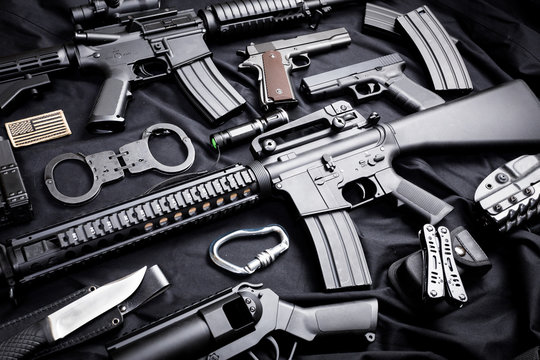
How to Buy Guns Online
Buying a firearm online is completely legal, and simple: place your order with BT Gun Company, then arrange for a local FFL dealer to handle the transfer. Once that’s set up, all you have to do is wait for their call to pick it up.
What’s an FFL, and why is it called a “transfer”?
FFL stands for Federal Firearms License. An FFL transfer is the process of moving a firearm’s legal possession from one FFL, or an FFL to a customer. In almost every case, it’s not legal to receive a gun at your home, or move one across state lines, without an FFL dealer’s involvement. Having your FFL dealer receive the purchase is what keeps the process secure, safe, and legal.
When you buy a gun online from an FFL like BT Gun Company, federal law requires it to ship to a dealer holding a federal firearms license, so they can run your background check and legally transfer the firearm to you. Once your FFL notifies you that your order has arrived, you’ll go to their location, complete ATF Form 4473, pass your background check, and take your new firearm home.
1. Select a local FFL
As you look for a nearby FFL, confirm they’ll actually accept your item and complete the transfer, and that their fee is reasonable — some dealers only handle transfers for items purchased in their own store, or charge high fees.
2. Contact your FFL and confirm the transfer
Ideally, line up your FFL dealer before you buy. Confirm they’re willing to accept the shipment and that you’re comfortable with their fee — some states or jurisdictions add extra paperwork, so ask about that too. Once confirmed, let them know you’ll be having a firearm shipped to them; after your first transfer with a dealer, it’s courteous to give them a heads-up on future purchases.
3. Buy your firearm
Browse our selection of handguns and long guns, then add any ammunition or accessories you need. Search by keyword, model, manufacturer, caliber, or price. Add your items to cart, include your receiving FFL if you have it, and complete payment.
4. Get your dealer’s information to us
There are three ways to connect your receiving dealer with BT Gun Company:
- Submit an FFL you already know — enter their FFL number at checkout, then place your order.
- Search for a dealer using our tool — our FFL lookup is available on the checkout page. Confirm with your chosen dealer that they’ll handle the transfer.
- Have your dealer email us — FFL dealers often don’t share their license number with customers directly. Have them email their FFL information to [email protected], including your order number and name so we can match it to your order.
5. Pick up your firearm
Your FFL will notify you once your shipment arrives. Bring a government-issued photo ID showing your current address, along with any license or permit your state requires. Inspect the firearm before accepting the transfer, complete the required paperwork and background check, then take possession. Firearm transfer and ownership are always subject to your state and federal regulations, so stay current on what applies in your area.
Whether you’re a first-time gun owner or just new to buying online, BT Gun Company handles the logistics and paperwork — confirming your receiving FFL’s license, and managing transfer approval, shipping, and tracking — so the process stays simple.